
You can forward an email to other email accounts using Mozilla Thunderbird.
1. Open Mozilla Thunderbird.

2. Go to Inbox. Select the message you want to forward, and it will show the Forward option. Click it.

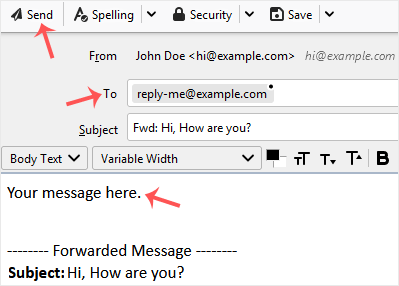
3. Type your message in the message box. Do not modify the email title and the rest of the text. Then click on send.
Hjälpcentral
Det du inte kan hitta en lösning på i vår kunskapsdatabas kan du få hjälp med genom att kontakta oss. Välj den avdelning som passar bäst från listan under och skicka in ditt ärende.
How to Forward an Email in Mozilla Thunderbird
0
Hjälpte svaret dig?
Back
Updated knowledgebase article view

