
You can change the VNC password using SolusVM.
1. Log in to your SolusVM Control Panel.
2. If you have multiple VPSs, select the appropriate one.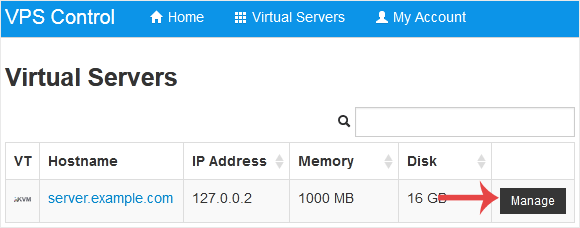
3. Scroll down. Under the VNC Password tab, enter your new password. Then click on Change.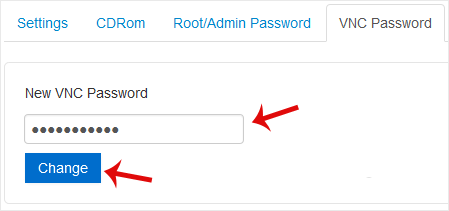
4. Click Yes to confirm and then reboot your VPS.
Base de conocimientos
Si no encuentra una solución a sus problemas en nuestra base de conocimientos, puede enviar un ticket seleccionando el departamento correspondiente a continuación.
How to Change the VNC Password in SolusVM
0
¿Le ha resultado útil esta respuesta?
Back
Updated knowledgebase article view

