
You can change the VNC password using SolusVM.
1. Log in to your SolusVM Control Panel.
2. If you have multiple VPSs, select the appropriate one.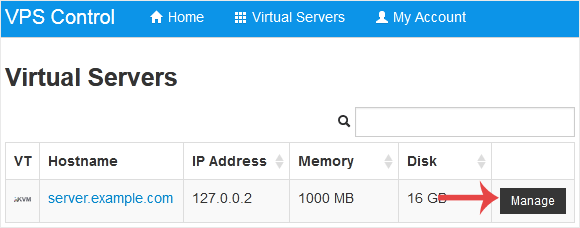
3. Scroll down. Under the VNC Password tab, enter your new password. Then click on Change.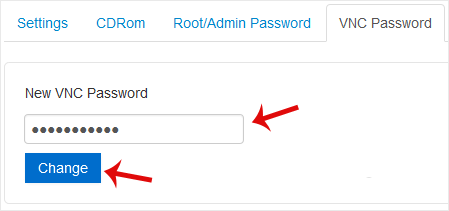
4. Click Yes to confirm and then reboot your VPS.
Base de Conhecimento
Se você não encontrar a solução para seus problemas em nossa base de conhecimento, poderá enviar um ticket selecionando o departamento apropriado abaixo.
How to Change the VNC Password in SolusVM
0
Esta resposta foi útil?
Back
Updated knowledgebase article view

