
You can reply to an email using Mozilla Thunderbird instead of the cPanel Webmail.
1. Open Mozilla Thunderbird.

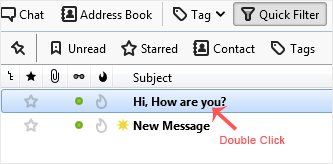
2. Click on the email you wish to open twice.
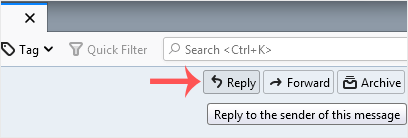
3. In the top-bottom area, click on Reply.
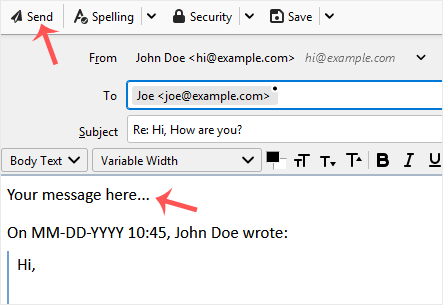
4. Type your message in the message box and click on Send.
Kunnskapsbase
Dersom du ikke kan finne en løsning på ditt spørsmål eller problem i vår kunnskapsbase kan du få hjelp ved å kontakte oss. Velg den avdelingen som passer best fra listen under og send inn din henvendelse.
How to Reply to Email in Mozilla Thunderbird
0
Var dette svaret til hjelp?
Back
Updated knowledgebase article view

