
You can easily change the password if you have access to your WordPress account.
1. Log in to the WordPress dashboard.
2. From the Dashboard menu, go to Users and click on Profile.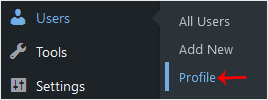
3. Scroll down to Account Management and click on Set New Password.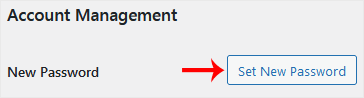
4. Copy the password to a safe place and click on Update Profile to change your password.
База на знаења
Ако не можете да најдете решение за вашите проблеми во нашата База на знаења, можете да поднесете тикет со избирање на соодветниот сектор подолу.
How to Change the Password of a WordPress Account
0
Дали Ви помогна овој одговор?
Back
Updated knowledgebase article view

