
You can change the root/admin password of your VPS Operating System using SolusVM.
1. Log in to your SolusVM Control Panel.
2. If you have multiple VPSs, select the appropriate one.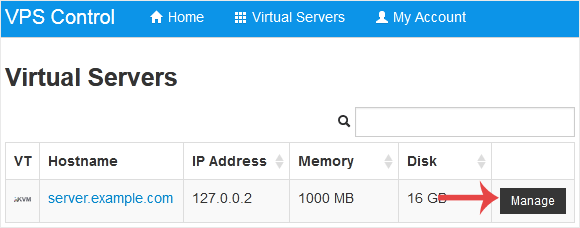
3. Scroll down. Under the Root/Admin Password tab, if it shows the password field, enter your password and click on Change.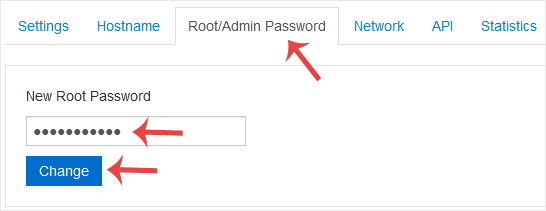
4. Click Yes to confirm.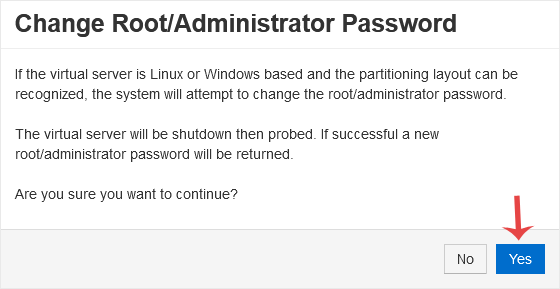
5. It may take a few moments for the password to change, after which a success message will display. Copy the password to Notepad.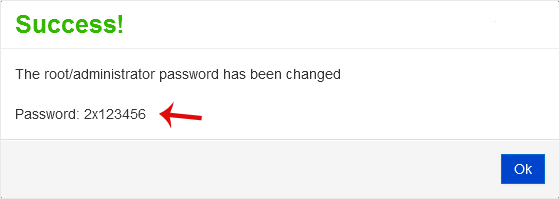
Archivio Domande
Se non trovi una soluzione al tuo problema nel nostro Archivio Domande, puoi selezionare un nuovo ticket scegliendolo dal reparto appropriato in calce.
How to Change the VPS OS Root/Admin Password in SolusVM
1
Hai trovato utile questa risposta?
Back
Updated knowledgebase article view

