
You can change the VNC password using SolusVM.
1. Log in to your SolusVM Control Panel.
2. If you have multiple VPSs, select the appropriate one.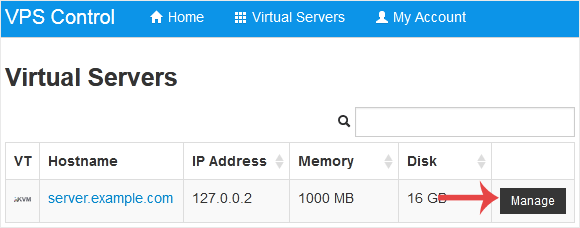
3. Scroll down. Under the VNC Password tab, enter your new password. Then click on Change.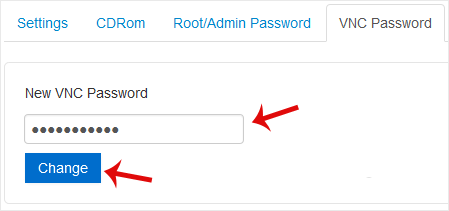
4. Click Yes to confirm and then reboot your VPS.
מאגר מידע
אם אינכם יכולים למצוא מענה לפנייתכם במאגר המידע שלנו – אתם יכולים לפתוח פניה למחלקה המתאימה להלן:
How to Change the VNC Password in SolusVM
0
?האם התשובה שקיבלתם הייתה מועילה
Back
Updated knowledgebase article view

