
You can change the VNC password using SolusVM.
1. Log in to your SolusVM Control Panel.
2. If you have multiple VPSs, select the appropriate one.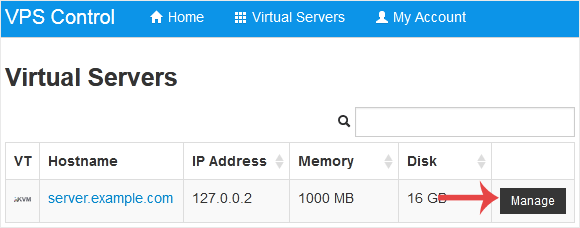
3. Scroll down. Under the VNC Password tab, enter your new password. Then click on Change.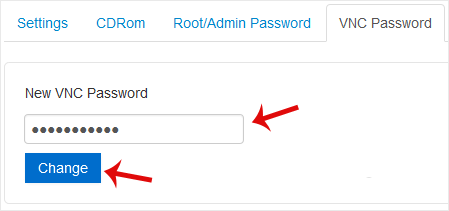
4. Click Yes to confirm and then reboot your VPS.
مرکز آموزش
اگر شما در بانک اطلاعاتی ما راه حلی برای مشکلتان نمیابید میتوانید با انتخاب بخش مناسب درخواست خود را ارسال کنید..
How to Change the VNC Password in SolusVM
0
آیا این پاسخ به شما کمک کرد؟
Back
Updated knowledgebase article view

