
You can install a new WordPress theme without having any technical knowledge. It is so easy and automated.
1. Log in to the WordPress dashboard.
2. From the Dashboard menu, go to Appearance and click on Themes.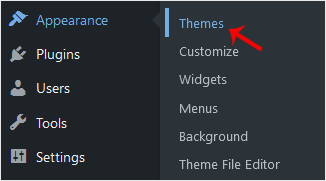
3. Click on Add New.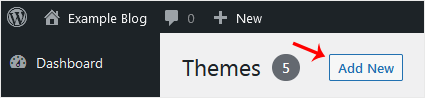
4. You can search for a theme using the search bar or browse the themes, choosing from Featured, Popular, and Latest.
5. Hover your mouse over the theme you like and choose Install.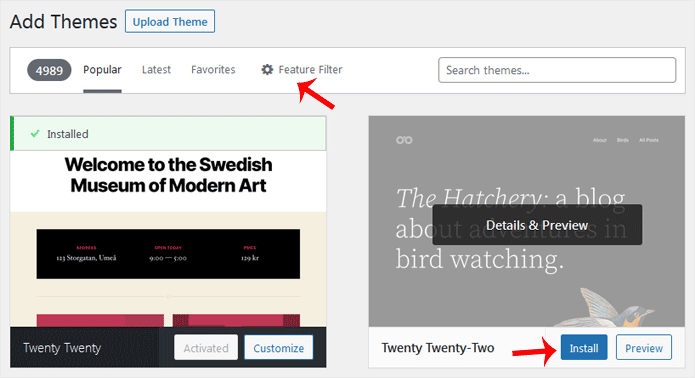
6. Click Activate on the newly installed theme.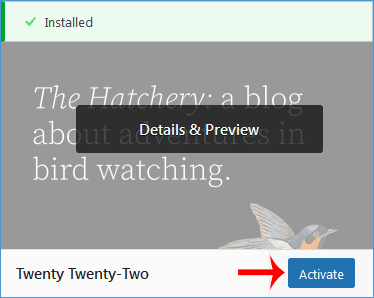
Congratulations, you have installed and activated a new theme on your blog.
Knowledgebase
If you can't find a solution to your problems in our knowledgebase, you can submit a ticket by selecting the appropriate department below.
How to Install a New WordPress Theme
0
Was this answer helpful?
Back
Updated knowledgebase article view

