
You can change the hostname in SolusVM.
1. Log in to your SolusVM Control Panel.
2. If you have multiple VPSs, select the appropriate one.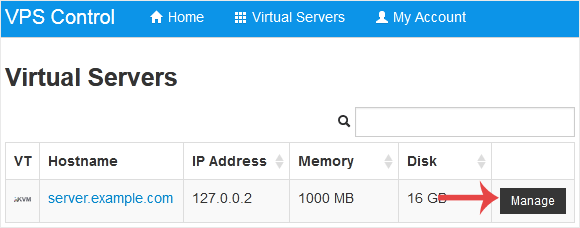
3. Scroll down. Under the Hostname tab, enter your hostname in the text field. Then click on Change.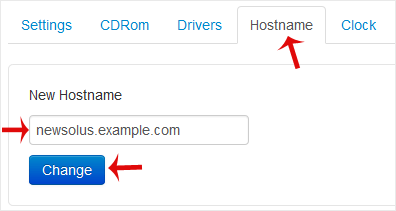
4. A reboot is required so that the saved changes can take effect.
Some example hostnames:
server1.example.com
hostingserver.example.com
Knowledgebase
If you can't find a solution to your problems in our knowledgebase, you can submit a ticket by selecting the appropriate department below.
How to Change Hostname in SolusVM
0
Was this answer helpful?
Back
Updated knowledgebase article view

