
You can forward an email to other email accounts using Mozilla Thunderbird.
1. Open Mozilla Thunderbird.

2. Go to Inbox. Select the message you want to forward, and it will show the Forward option. Click it.

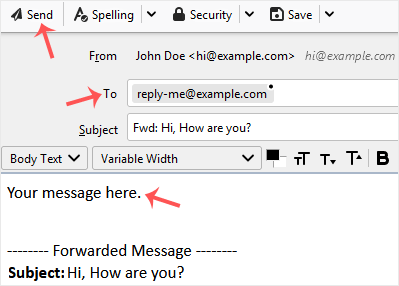
3. Type your message in the message box. Do not modify the email title and the rest of the text. Then click on send.
Knowledgebase
If you can't find a solution to your problems in our knowledgebase, you can submit a ticket by selecting the appropriate department below.
How to Forward an Email in Mozilla Thunderbird
0
Was this answer helpful?
Back
Updated knowledgebase article view

