
You can forward an email to other email accounts using Mozilla Thunderbird.
1. Open Mozilla Thunderbird.

2. Go to Inbox. Select the message you want to forward, and it will show the Forward option. Click it.

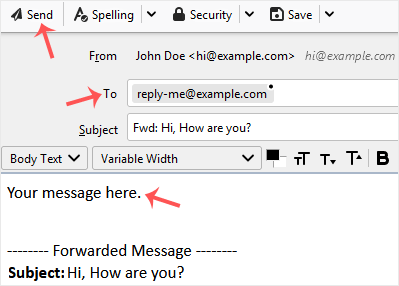
3. Type your message in the message box. Do not modify the email title and the rest of the text. Then click on send.
Kennisbank
Staat er voor een specifiek probleem geen oplossing in onze kennisbank, maak dan een ticket aan door hieronder de juiste afdeling te selecteren.
How to Forward an Email in Mozilla Thunderbird
0
Was dit antwoord nuttig?
Back
Updated knowledgebase article view

