
You can change the VNC password using SolusVM.
1. Log in to your SolusVM Control Panel.
2. If you have multiple VPSs, select the appropriate one.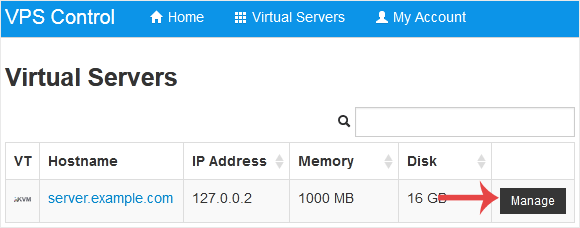
3. Scroll down. Under the VNC Password tab, enter your new password. Then click on Change.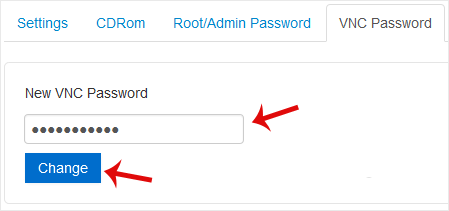
4. Click Yes to confirm and then reboot your VPS.
Vidensdatabase
Hvis du ikke kan finde et svar på dine spørgsmål i vores vidensdatabase kan du oprette en support sag ved at vælge support afdeling nedenfor.
How to Change the VNC Password in SolusVM
0
Hjalp dette svar dig?
Back
Updated knowledgebase article view

