
You can easily change the password if you have access to your WordPress account.
1. Log in to the WordPress dashboard.
2. From the Dashboard menu, go to Users and click on Profile.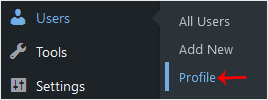
3. Scroll down to Account Management and click on Set New Password.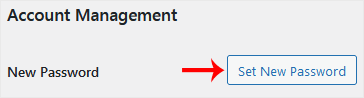
4. Copy the password to a safe place and click on Update Profile to change your password.
Databáze řešení
Pokud nemůžete najít řešení Vašeho problému v naši databázi řešení, založte níže support tickt a zvolte odpovídající oddělení.
How to Change the Password of a WordPress Account
0
Byla tato odpověď nápomocná?
Back
Updated knowledgebase article view

