
You can easily Install/Reinstall the operating system using SolusVM. However, note that this option will destroy all the data on your VPS.
1. Log in to your SolusVM Control Panel.
2. If you have multiple VPSs, select the appropriate one.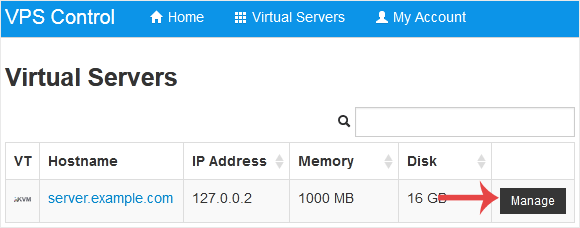
3. Click on Reinstall.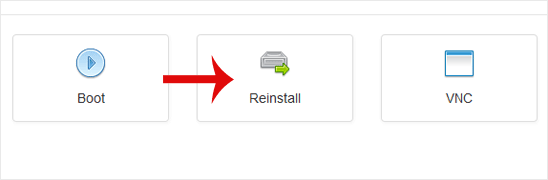
4. Select the operating system which you want to install. For example, if you are going to install CentOS 8, choose it. 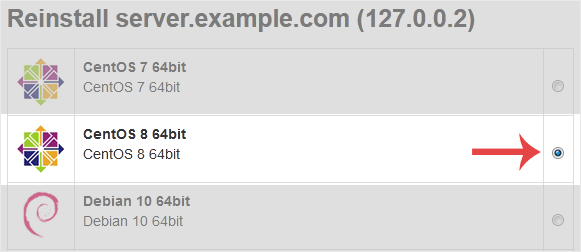
5. Scroll down to the end of the page and click on Reinstall. A confirmation box will prompt. Choose Yes to proceed.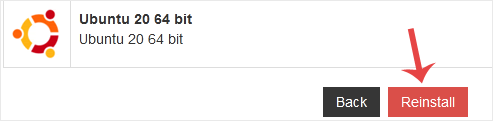
It will show a message that the installation can take up to 10 minutes and show an admin/root password. Copy the password to Notepad as you will need it later to access your VPS.
知識庫
如果您無法在我們的知識庫找到您問題的解決方案,您可以在下方選擇適當的部門來發出服務單申請。
How to Reinstall OS Using SolusVM OS-Reinstaller
0
這篇文章有幫助嗎?
Back
Updated knowledgebase article view

