
You can change the VNC password using SolusVM.
1. Log in to your SolusVM Control Panel.
2. If you have multiple VPSs, select the appropriate one.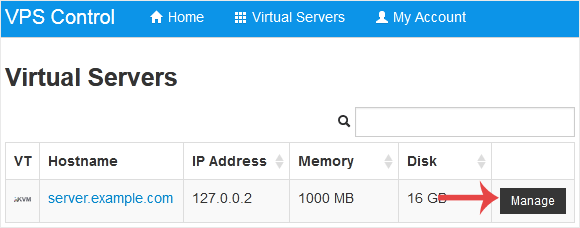
3. Scroll down. Under the VNC Password tab, enter your new password. Then click on Change.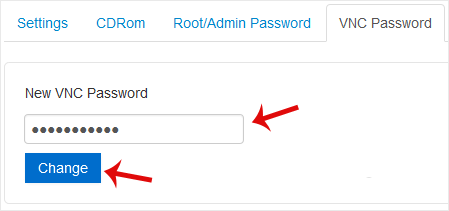
4. Click Yes to confirm and then reboot your VPS.
Məlumat bazası
Məlumat bazamızda probleminizə həll tapa bilmirsinizsə, aşağıda uyğun şöbəmiz tərəfindən seçilən sorğunu təsdiqləyə bilərsiniz.
How to Change the VNC Password in SolusVM
0
Bu cavab sizə kömək etdi?
Back
Updated knowledgebase article view

