
You can forward an email to other email accounts using Mozilla Thunderbird.
1. Open Mozilla Thunderbird.

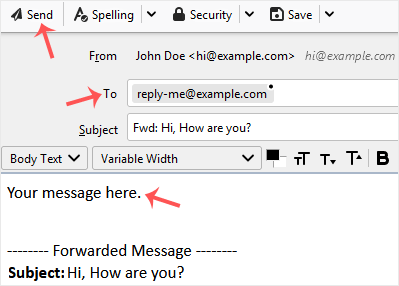
2. Go to Inbox. Select the message you want to forward, and it will show the Forward option. Click it.

3. Type your message in the message box. Do not modify the email title and the rest of the text. Then click on send.
Məlumat bazası
Məlumat bazamızda probleminizə həll tapa bilmirsinizsə, aşağıda uyğun şöbəmiz tərəfindən seçilən sorğunu təsdiqləyə bilərsiniz.
How to Forward an Email in Mozilla Thunderbird
0
Bu cavab sizə kömək etdi?
Back
Updated knowledgebase article view

