
You can reply to an email using Mozilla Thunderbird instead of the cPanel Webmail.
1. Open Mozilla Thunderbird.

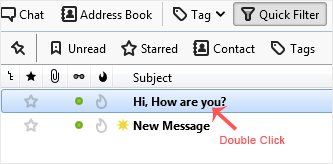
2. Click on the email you wish to open twice.
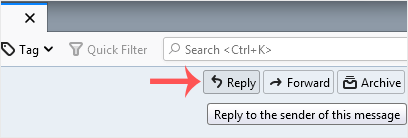
3. In the top-bottom area, click on Reply.
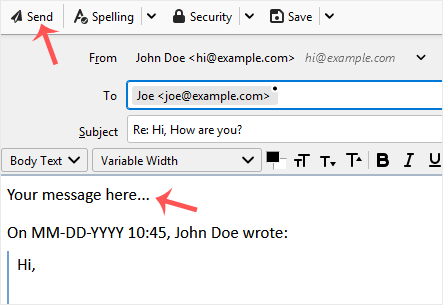
4. Type your message in the message box and click on Send.
مكتبة الشروحات
إذا كنت لا تستطيع إيجاد حل للمشكلة التي تواجهك فى مكتبة الشروحات ، يمكنك إرسال تذكرة دعم فني وحدد القسم المختص من الأسفل
How to Reply to Email in Mozilla Thunderbird
0
هل كانت المقالة مفيدة ؟
Back
Updated knowledgebase article view

